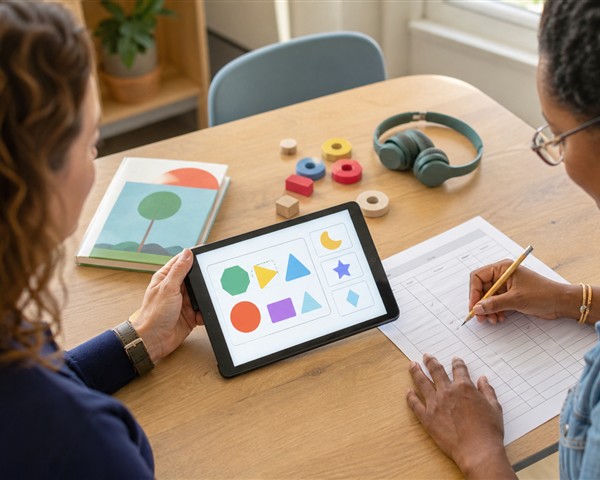
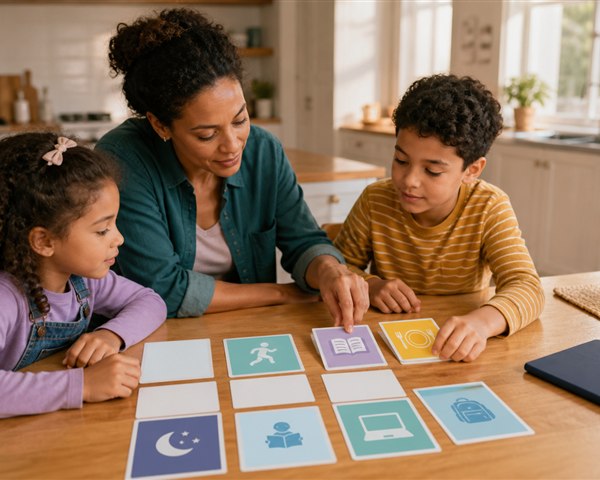
Technology is now ordinary classroom infrastructure: learning-management systems, shared documents, accessibility tools, video, simulations, assessments, and—increasingly—artificial intelligence. The important question is no longer whether technology belongs in education. It is whether a particular tool improves access or learning enough to justify its costs and risks.
Remote learning remains part of that picture. It can connect a homebound student with a class, keep instruction going during disruption, expand access to a course or specialist, and support practice outside school. It can also magnify weak lesson design, unreliable internet, privacy problems, distraction, and isolation.
The classroom of the future should not be organized around the newest device. It should be organized around learners, educators, and a clearly defined purpose.
Start with the problem, not the product
Before evaluating features, write the problem in one sentence:
- Students need timely feedback while practicing a skill.
- A homebound learner needs to participate with classmates.
- Multilingual families need accessible school communication.
- Students need a safe way to collaborate on a project.
- Teachers need to see which concept requires reteaching.
Then ask whether technology is necessary. A conversation, printed organizer, hands-on model, or change in routine may solve the problem more effectively.
If a digital tool is appropriate, define what success will look like: improved access, stronger work, faster useful feedback, more independent practice, or better communication. “Students used the app” is an implementation measure, not a learning outcome.
The three digital divides schools must address
The U.S. Department of Education’s 2024 National Educational Technology Plan describes three related divides.
1. The access divide
Can every learner reliably use the device, connection, software, and support required? A school-issued laptop does not solve access if a household lacks stable broadband, a quiet place, technical help, or enough devices for multiple children.
Plan for offline or low-bandwidth alternatives, device repair, charging, authentication support, and accessible family communication. Do not penalize students for infrastructure they cannot control.
2. The design divide
Do educators have enough time, guidance, and professional learning to design effective experiences with technology? Simply transferring a lecture or worksheet to a screen rarely improves it.
Good digital design still needs a clear goal, explicit instruction, guided practice, interaction, feedback, accessibility, and opportunities to apply learning. Teachers also need time to test the student experience and anticipate where the tool creates extra cognitive or technical load.
3. The use divide
Are students using technology actively and purposefully, or mainly consuming content and completing low-level tasks? Technology can support creation, collaboration, investigation, simulation, practice, and access to feedback. It can also produce passive clicking, surveillance, and distraction.
Look beyond minutes of use. Examine what students actually do, the thinking required, and whether the experience leads to learning away from the device.
What remote learning can do well
Remote learning is most useful when it takes advantage of its format rather than imitating a full in-person day through continuous video.
Effective remote or hybrid design may include:
- short live sessions for connection, modeling, discussion, or feedback;
- clear asynchronous directions students can revisit;
- recorded explanations with captions and transcripts;
- small-group or individual conferencing;
- flexible ways to demonstrate learning;
- shared workspaces for genuine collaboration;
- printed, hands-on, or offline activities;
- predictable office hours and help channels;
- regular personal contact with students and families.
Protect breaks, movement, and realistic workloads. Our guide to managing children’s screen time explains why content, context, and what media crowds out matter more than counting every school-related minute as equivalent.
What technology cannot replace
A platform can distribute work, organize resources, translate text, or provide practice. It cannot take full responsibility for knowing a child.
Teachers notice hesitation, enthusiasm, misunderstanding, conflict, fatigue, humor, and growth in context. Classmates provide belonging, negotiation, friendship, and a real audience. Schools provide meals, services, safe spaces, arts, athletics, hands-on materials, and coordinated professional support.
Technology should strengthen these relationships, not be used as evidence that fewer relationships are necessary. A child who completes every assigned screen task may still be confused or disconnected.
Artificial intelligence: useful assistant, accountable adult
AI tools can generate examples, adjust text complexity, support brainstorming, summarize patterns, translate, or help educators draft routine materials. They can also produce confident errors, reflect bias, expose sensitive data, obscure authorship, and make it difficult to know what a student understands.
Keep a qualified educator in the decision loop. Before using AI, schools should define:
- the instructional purpose;
- what data the system receives and retains;
- whether student or family information is permitted;
- how outputs will be checked for accuracy, bias, and accessibility;
- how students will disclose or cite permitted use;
- which decisions must never be delegated to the system;
- how non-users can complete an equivalent task.
Students need age-appropriate AI literacy: generated output is not automatically true, neutral, original, or private. They should learn to verify claims, inspect sources, protect personal information, and explain their own reasoning.
AI should not make high-stakes judgments about discipline, disability, placement, mental health, safety, or a child’s potential without appropriate professional review and due process.
Privacy and security are learning conditions
Educational technology can collect names, identifiers, location, device data, behavior, writing, voice, images, and learning records. “Free” software may carry costs through data collection or advertising.
Use the school or district’s approved review process. At minimum, ask:
- What information is collected?
- Why is each data element necessary?
- Who can access it?
- Is it sold, used for advertising, or used to train models?
- How long is it retained, and how can it be deleted?
- Does the vendor use encryption and appropriate account controls?
- What happens after a breach or when the contract ends?
- Can students complete the learning goal without creating a public profile?
The U.S. Department of Education’s Student Privacy Policy Office provides guidance on privacy and educational technology. Schools should involve privacy, security, legal, accessibility, curriculum, and classroom expertise rather than placing vendor review on one teacher.
Accessibility should be designed in
Accessibility is not an optional accommodation added after purchase. Test whether students can navigate by keyboard, use screen readers, enlarge text, read sufficient color contrast, access captions and transcripts, control audio, and complete tasks without precise dragging or unnecessary time limits.
Also consider plain language, translation, mobile and low-bandwidth use, distraction, sensory load, and compatibility with assistive technology. Include students with disabilities in evaluation; a checklist cannot replace their experience.
A practical tool-review checklist
Before adopting or renewing a product, ask:
- Purpose: What specific learner or educator problem does it solve?
- Evidence: What credible evidence supports this use, with students like ours?
- Learning: What will students think, create, practice, or understand?
- Access: Can every student use it reliably, with an equivalent alternative when needed?
- Teacher role: What judgment, feedback, and relationship remain human?
- Privacy: Is data collection necessary, transparent, secure, and limited?
- Accessibility: Has the complete workflow been tested with real users and assistive technology?
- Workload: What training, setup, troubleshooting, and ongoing maintenance are required?
- Distraction: Which notifications, rewards, feeds, or unrelated features can be disabled?
- Evaluation: Which outcomes will determine whether the tool should continue?
Pilot narrowly when possible. Gather student, family, educator, accessibility, and technical feedback. Examine learning and access, not just logins. Be willing to stop using a tool that fails the test.
A better future is intentionally designed
Education technology is most promising when it expands access to strong teaching, useful feedback, creative work, collaboration, and support. It is least promising when novelty substitutes for a learning goal or automation substitutes for care.
The future classroom will include digital and physical spaces, synchronous and asynchronous work, and tools that continue to change. Its foundation should remain stable: capable educators, safe and inclusive environments, strong relationships, and students doing meaningful thinking.
See 10 ingredients of a successful classroom for the human practices technology should support, and learn how GrowMindGrow works with schools.
Sources and further reading
- U.S. Department of Education: 2024 National Educational Technology Plan
- U.S. Department of Education, Office of Educational Technology: Artificial Intelligence and the Future of Teaching and Learning
- U.S. Department of Education, Student Privacy Policy Office: Privacy and Education Technology
- U.S. Department of Education, Student Privacy Policy Office: Data Security in K–12 and Higher Education