Private, printable planning tool
Build your family media plan
Choose the priorities and boundaries that fit your household. The plan updates below; there is no account, timer, or single “correct” daily limit.
Your draft
Our family media plan
- What we want media to support
- protect sleep and wind-down time; protect family conversation and shared time; leave room for movement and outdoor play; use media for creating and learning, not only watching
- Media-free times and places
- Meals are media-free so everyone can eat and talk without competing for attention. Entertainment media waits during homework and reading; required learning tools are used for the task at hand. Entertainment media ends before the bedtime routine, and devices charge outside sleeping spaces when practical.
- How we choose and use content
- We look at the content, purpose, age guidance, and independent reviews—not only whether an app is called educational. Children ask an adult before downloading, buying, creating an account, joining a chat, or sharing information. We ask questions, play or watch together sometimes, and make it safe to report confusing or uncomfortable content. We agree on the stopping point before starting and give a calm reminder before the transition when possible.
- When it is hard to stop or calm down
- Our first screen-free reset option is: read, draw, build, or make something. Adults will model the same calm transition they expect from children.
- Our check-in
- We will revisit this plan after one week, listen to what is working, and change rules that are unclear or unrealistic.
Your choices stay in this browser and are not saved.
Want just the tool? Family Media Plan Builder has its own page — easier to bookmark and to pass on.
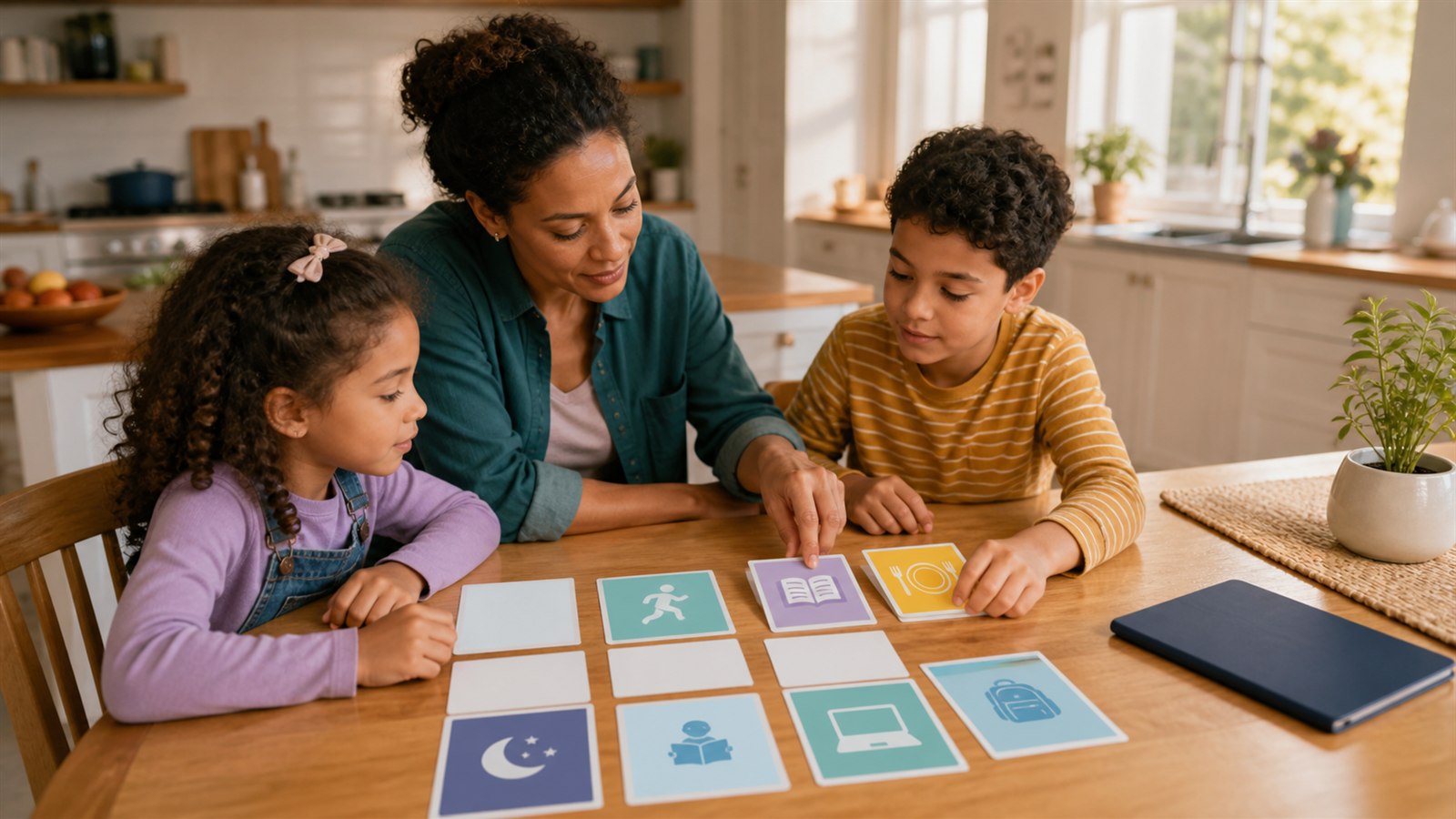
A useful family media plan is not a punishment chart or a contract handed down after an argument. It is a short set of agreements that makes everyday decisions more predictable: when screens pause, what children need permission to do, how the family chooses content, and what everyone can try when stopping feels difficult.
Use the builder above as a conversation starter. Choose only the agreements your household can explain and follow consistently. The finished plan stays in your browser; you can copy or print it without entering a child’s name, email address, or account information.
Why a media plan works better than one number
“How much screen time is okay?” sounds like a simple question, but minutes alone hide meaningful differences. A video call with a grandparent, a required math lesson, an open-ended drawing app, and an autoplaying video feed all use a screen. They do not have the same purpose, design, or effect.
The American Academy of Pediatrics now encourages families to look beyond the old two-hour rule and use its 5 Cs of Media Use:
- Child: How does this particular child respond to media? What strengths, sensitivities, and developmental needs matter?
- Content: What is the child watching, playing, making, or learning? Who designed it, and why?
- Calm: Is media becoming the only reliable way to manage boredom, strong feelings, or sleep?
- Crowding Out: Is media displacing sleep, movement, schoolwork, in-person relationships, or unstructured play?
- Communication: Can adults and children talk honestly about media, including mistakes and uncomfortable experiences?
These questions produce a better plan because they distinguish between activities and focus attention on what a child needs. Our broader guide to managing children’s screen time walks through the 5 Cs in more detail.
Build the plan together
School-age children are more likely to understand an agreement they helped shape. Adults still set safety limits and protect essential routines, but children can describe what they enjoy, where transitions break down, and which rules feel confusing.
Try a brief family meeting when nobody is already fighting about a device:
- Start with what media makes possible. Name favorite ways to learn, create, relax, play, and connect.
- Name what the family wants to protect. Sleep, meals, movement, homework, conversation, and offline play are easier to defend when they are visible priorities.
- Choose a few predictable boundaries. A rule such as “entertainment media waits during homework” is clearer than “do not use screens too much.”
- Agree on permission points. Downloads, purchases, new accounts, chats, camera access, and sharing personal information should have explicit expectations.
- Plan the transition before starting. Decide on a stopping point and a screen-free next activity while everyone is calm.
- Set a review date. Treat the first version as a one-week experiment, then keep what works and revise what does not.
The goal is not to produce the strictest plan. It is to create one the family can remember, model, and revisit.
Separate schoolwork from entertainment
“No screens during homework” stops making sense when homework itself requires a learning platform, document, calculator, video, or accessibility tool. Define the boundary by purpose instead:
- Required learning tools are used for the current assignment.
- Entertainment tabs, games, chats, and videos wait until the task is complete.
- Notifications are silenced when possible.
- A child can ask for help when a tool becomes distracting or confusing.
- Offline work is available when it serves the learning goal just as well.
Technology should solve a real learning or access problem. Our guide to remote learning and classroom technology offers a useful framework for judging whether it does.
Choose content, not just a time slot
Before approving an app, game, channel, or platform, look past the word “educational.” Ask:
- What will the child actually do: make decisions, practice a skill, create something, or mostly watch and tap?
- Is the difficulty understandable and adjustable?
- Does feedback help the child improve, or mainly dispense points and rewards?
- Are ads, purchases, autoplay, streaks, or notifications designed to prolong use?
- Does the experience request an account, location, microphone, camera, contacts, or other data it does not need?
- Can the child stop at a natural point?
If an adult cannot tell what the product teaches, collects, or sells, pause before allowing independent use. Our educational app and game scorecard makes that review easier by keeping the learning goal, design, privacy, and stopping experience visible at the same time.
Make stopping predictable
Many digital products remove natural endings. Episodes begin automatically, games offer one more reward, and feeds never run out. That design can make a transition difficult even when a child knew the rule.
Helpful routines include:
- Agreeing on the endpoint before opening the device: one episode, the end of a level, or a specific clock time.
- Giving one calm reminder before the transition.
- Saving progress when the product allows it.
- Naming the next activity rather than only announcing what must stop.
- Keeping a short menu of familiar reset choices such as drawing, music, movement, reading, a snack, or helping with a shared task.
- Responding to disappointment without reopening a boundary that was clear.
A plan cannot eliminate every hard moment. It can keep adults from inventing rules in the middle of one.
Protect sleep without turning bedtime into a battle
Work backward from the child’s bedtime routine. Decide when entertainment ends, where devices charge, and how a family member can be reached overnight if that is a genuine need. Adults should follow the shared parts of the agreement too—for example, putting phones away during a conversation or meal.
If sleep problems continue despite a consistent routine, discuss them with the child’s pediatrician. A family media plan supports healthy habits; it is not medical care and cannot diagnose the cause of sleep difficulty.
Include privacy and online safety agreements
School-age children need concrete rules, not a general instruction to “be safe online.” Agree that a child will ask an adult before:
- Creating a new account or profile.
- Sharing a full name, school, location, contact information, photo, or video.
- Turning on a camera, microphone, location service, or contact access.
- Downloading a file or app, making a purchase, or accepting an in-app offer.
- Joining a public chat, direct message, or multiplayer space with unfamiliar people.
Also make one promise from the adult side: a child can report a mistake, frightening message, or uncomfortable interaction without losing help. Safety conversations work best when disclosure leads first to calm support and problem-solving.
What to do when adults disagree
Different households, caregivers, and homes may have different routines. Aim for a small shared core—such as permission before purchases, no devices in bed, and telling an adult about unsafe contact—rather than forcing every setting to look identical.
Talk about differences privately when possible. Asking a child to enforce one adult’s rules against another puts the child in the middle. A plan should reduce uncertainty, not turn media into a loyalty test.
Review the plan after one week
Ask three questions:
- Which agreement was easiest to follow, and why?
- Where did the wording or routine fail?
- What is one change that would better protect the family’s priorities?
Change a rule if it is vague, unrealistic, or aimed at the wrong problem. Keep the reason visible. “Devices charge outside bedrooms so sleep has room” teaches more than “because I said so,” while still leaving the adult responsible for the boundary.
Sources and further reading
- Kids & Screen Time: How to Use the 5 Cs of Media Guidance, American Academy of Pediatrics, updated January 6, 2026.
- Family Media Plan, American Academy of Pediatrics.